


If your iENYRID electric scooter has suddenly displayed an error code, you’re not alone. Error codes are built-in diagnostic tools designed to alert riders when something isn’t functioning correctly. Whether it’s a throttle fault, battery communication issue, or controller problem, these codes help identify faults quickly so they can be fixed before causing further damage.
What Causes Error Codes?
Error codes appear when the scooter’s controller detects a fault in the electrical or sensor system.
Common triggers include:
- Loose or disconnected cables
- Water damage inside the deck
- Faulty brake sensors
- Throttle malfunctions
- Motor hall sensor issues
- Battery voltage irregularities
- Controller overheating
In many cases, the scooter enters protection mode to prevent further damage.
3E - Phase fault
4E - Low voltage protection
5E - Brake lever failure
6E - Motor hall failure
7E - Accelerator failure
8E - Controller failure
10E - Communication failure
15E - Communication failure
Quick Troubleshooting Checklist
Before replacing parts, run through this quick diagnostic checklist:
- Turn the scooter off and back on
- Fully charge the battery
- Inspect visible cables
- Check brake levers are not engaged
- Ensure throttle returns smoothly
- Look for water inside the deck
- Disconnect and reconnect display cable
- Many minor faults clear after a restart or cable reseat.
Preventing Future Error Codes
Regular maintenance reduces faults dramatically.
Best Practices
- Avoid riding in heavy rain
- Never pressure wash the scooter
- Seal deck gaps with silicone
- Check cables monthly
- Don’t overcharge battery
- Store indoors
Waterproofing and cable care are the biggest reliability boosters.
What does an iENYRID error code mean?
Can I still ride with an error code?
How do I clear an error code?
Are error codes the same across all iENYRID scooters?
What is the most common error?
Do I need a technician to fix errors?
Where can I buy replacement parts?
Common iENYRID Replacement Parts
-
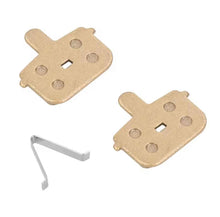
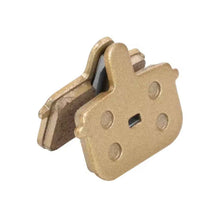
Brake Pads For iENYRID ES1/S1
Regular price £9.99Sale price £9.99 Regular priceUnit price per£11.99 -


10x2.75 Inner Tube For iENYRID ES1
Regular price £9.99Sale price £9.99 Regular priceUnit price per£14.99 -
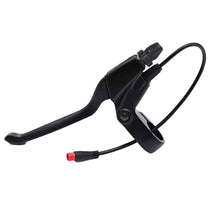
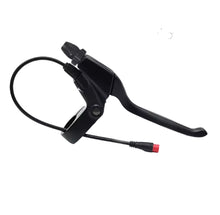
Brake Lever For iENYRID ES1/S1
Regular price From £9.99Sale price From £9.99 Regular priceUnit price per -
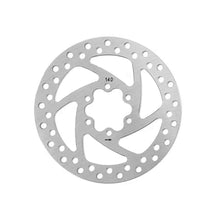
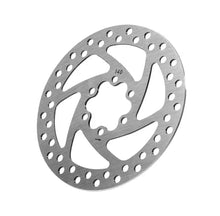
140MM Brake Disc For iENYRID ES1/S1
Regular price £9.99Sale price £9.99 Regular priceUnit price per -


Brake Pads For iENYRID M4 Pro S+/Max
Regular price £9.99Sale price £9.99 Regular priceUnit price per£11.99 -


10x2.75-6.5 ULIP Tubeless Off-Road Tyre
Regular price £28.99Sale price £28.99 Regular priceUnit price per£39.99


